
Welcome to Finish@UT
Cross-Campus Online Courses for Enrolled Students
The Finish@UT Program maintains a cross-campus registration system for currently enrolled UT students to register for online courses offered at other participating UT institutions, if that course is not available at their "home" campus when they need it. The Cross-Campus registration portal streamlines registration and exchange of information between students, campus advisors, registrars, and financial aid officers to facilitate transcription of credit as either institutional or transfer credit.
If you are a current UT student not able to find the course you need at your campus when you need it, click on the Current UT Students link, above to learn more about our cross-campus registration portal, and to search and register for online courses offered at other participating UT institutions.
How it Works for Students
Through a partnership between UT System institutions, UT students may enroll in online courses offered at any participating UT Institution “host” campus - helping you stay on track and graduate on time when a required course is unavailable at your home institution.
Follow the steps below to log in or create an account in the Finish@UT Cross-Campus Registration Portal, which allows you to search available courses and to submit your cross-campus registration request.
You may view the Finish@UT course schedule without creating an account in the portal.
Through the registration portal, students currently enrolled at a UT System institution may:
- View the schedule of courses accepting cross-campus enrollments.
- Create a NEW student account in the registration portal, follow the steps outlined below:
- On the Cross-Campus Registration Portal Login Page, click New to Finish@UT? Create a Student Registration Account
- Complete your profile information for the portal, which includes creating your username, password, and security questions. List your preferred email address in the portal to ensure you receive important status updates and enrollment notifications!
- Submit online registration requests for courses offered by campuses across UT System institutions.
- Track the status of registration requests throughout the approval process.
- Receive immediate email notification regarding the approval or denial of registration requests.
- Provide enrollment verification to the home campus financial aid office.
Campus Faculty, Staff, Advisors, Registrars, and Financial Aid Officers -
See Resources for Campus Administrators
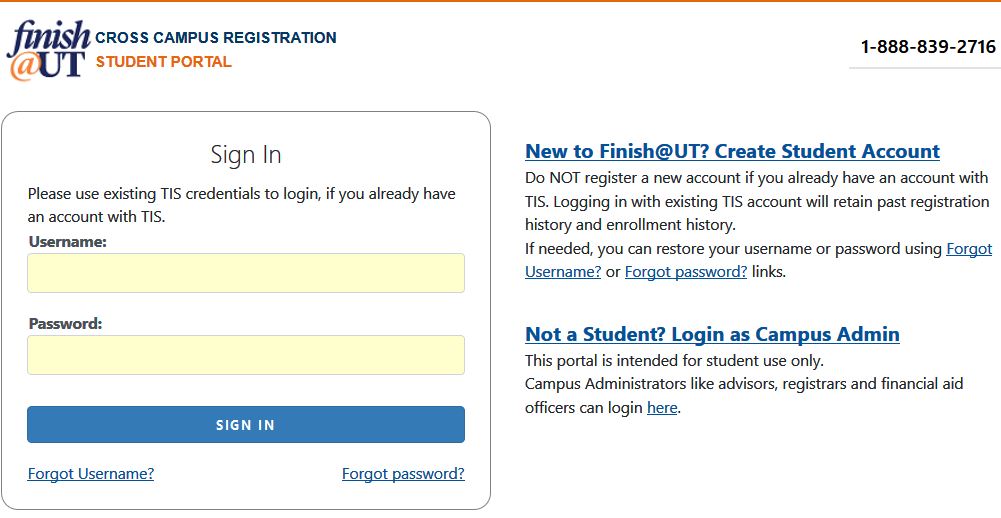
Complete your profile information for the portal, which includes creating your username, password, and security questions. List your preferred email address in the portal to ensure you receive important status updates and enrollment notifications!
Search for courses by clicking on the view course schedule icon

Verify you meet the course prerequisites click on the course link to see the course description page.
Complete the online registration request form:
- Add the course to your cart by clicking on the shopping cart icon "Add to Cart".

- Click on the cart icon located on the top right corner of the page to view your cart.
- Click Continue and follow the prompts to SUBMIT until you see the message: registration request successfully submitted.
- You will receive an automated email to the account listed in your portal profile when you have successfully submitted your registration request.
- Add the course to your cart by clicking on the shopping cart icon "Add to Cart".
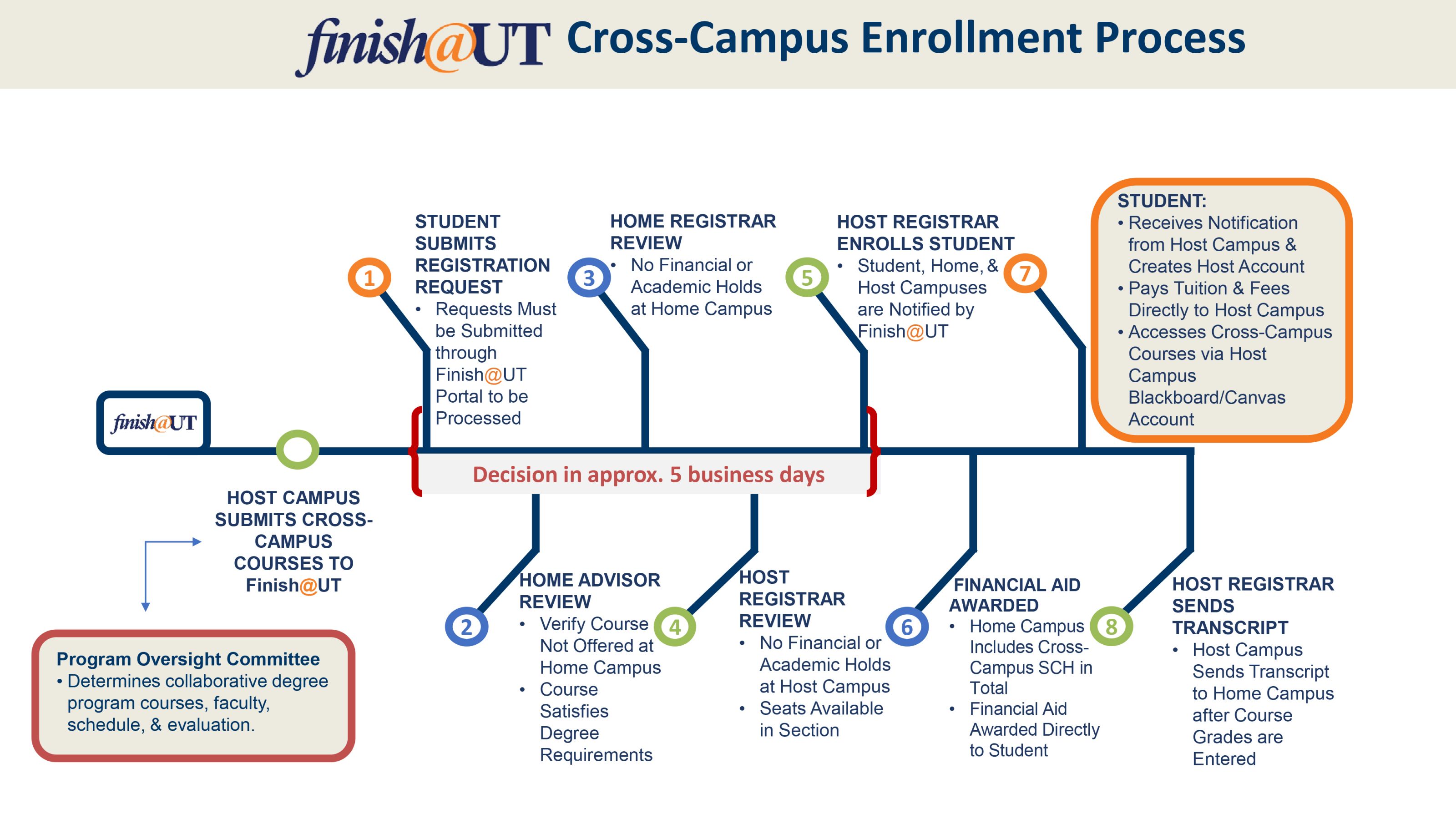
Once submitted, your request is routed to an advisor at your home campus to ensure the course satisfies degree requirements. The request is then sent to the home and host campus registrars for review.
You will receive an automated email once your request is approved/denied, typically within 5-7 business days of submitting the request. You can check the status of your registration requests or view enrollment history at any time by logging into the portal, and clicking on the  in the top navigation.
Questions? Check out our Student FAQ page, or contact us at Finish@UTsystem.edu / 888-839-2716.
